Go to ‘Invest‘ -> ‘Secondary market‘ section, choose an investment you want to purchase on the secondary market, and press the cart icon ‘Buy investment‘:
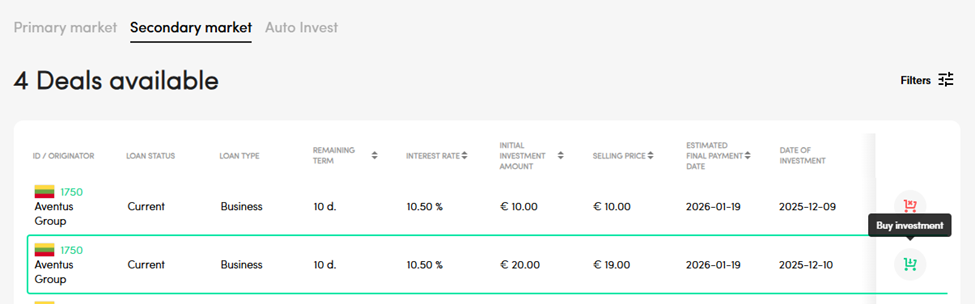
After a successful purchase, the investment will appear in your PeerBerry account‘s ‘My investments‘ -> ‘Current investments‘ section. You will acquire all the claim rights from the seller against the borrower, arising from the corresponding loan agreement (to repay the loan and pay interest). There are no fees for the buyers in the Secondary market.
In case you would want to sell an investment purchased on the Secondary market, the option to sell the investment would be available only after 180 days of a successful purchase. Information on selling investments on the secondary market can be found in the article “How to sell the investments on the Secondary market?”.


